Powerful Features

The Work Behind
Every Sale in One Place

Go from a barcode scan to a stock movement, an order update, or a customer balance. Explore the tools that keep your store organized.

Start on Free
Counter & online sales Warehouse stock tracking Role-based team access
▣ Sample store◎ EN⌄SSophia Nguyen
Admin

Dashboard

Total Sales $12,458 ↗ 12.5%
Total Orders 320 ↗ 8.2%
Total Products 1,245 ↗ 5.7%
Total Customers 856 ↗ 10.3%
Sales OverviewThis Week⌄
4K3K2K1K0
MonTueWedThuFriSatSun
Recent OrdersView all
IDCustomerAmountStatus
#1001 John Doe $120.00 Completed
#1002 Sarah Khan $85.00 Processing
#1003 Alex Smith $45.00 Pending
#1004 Maria Garcia $230.00 Completed
#1005 David Lee $67.00 Processing
Your Store at a GlanceCounter & Online Orders
CORE FEATURES

Choose a Workflow. See What It Can Do.

Start with daily sales and stock, then explore purchasing, customer accounts, team access, and support.

POS & Cash Registers

Scan products, take a counter sale, and close the register with a clear cash record.

  • Barcode scanning and product search
  • Product variants and add-ons
  • Discounts, tax and service fees
  • Thermal receipts and A4 invoices
  • Register shifts and cash movements

Products & Warehouse Stock

Know what is on hand, where it is stored, and what needs replenishing.

  • Categories, brands and product photos
  • Variants with their own stock levels
  • Multiple warehouses and stock transfers
  • Batch numbers and expiry dates
  • Low-stock views and email alerts

Your Online Storefront

Give customers a place to browse your catalog and place cash-on-delivery orders.

  • Store address and verified custom domain
  • Responsive catalog, search and categories
  • Customer accounts, reviews and wishlists
  • Cash-on-delivery checkout and shipping rules
  • Store branding, pages and search metadata

Orders, Returns & Refunds

Follow each sale from order details to fulfillment, with a record of changes and returns.

  • Counter and online order records
  • Order statuses and fulfillment history
  • Shipping details and tracking numbers
  • Invoices and order email notifications
  • Eligible returns, refunds and restocking

Customers & Loyalty

Keep purchase history, loyalty points, and customer balances close to the sale.

  • Customer profiles and purchase history
  • Loyalty earning and point redemption
  • Customer debit and credit ledgers
  • New, repeat and inactive customer segments
  • Customer order history and support portal

Sales, Stock & Profit Reports

Review daily sales, product performance, stock value, and business expenses in one place.

  • Sales by date and payment method
  • Product and category performance
  • Inventory valuation and stock reports
  • Expenses and profit-and-loss views
  • CSV and PDF report exports

Purchases & Suppliers

Track replenishment from supplier order to received stock and supplier payment.

  • Supplier contact records
  • Purchase orders and receiving
  • Product costs and batch details
  • Purchase payment records
  • Expense categories and attachments

Team Access & Store Settings

Invite your team and give each role the access it needs to do its job.

  • Staff invitations and account activation
  • Custom roles and action permissions
  • Two-factor authentication for staff
  • Activity logs for store actions
  • Currency, language and branding settings

Customer & Platform Support

Handle customer conversations in your store and reach platform support from your account.

  • Customer tickets, replies and attachments
  • Ticket assignment, priority and status
  • Canned replies and customer FAQs
  • Platform support tickets for store owners
  • Optional AI reply tools with your AI provider

Coupons & Customer Reminders

Create offers and follow up with customers who left a cart or have not ordered recently.

  • Fixed and percentage discount coupons
  • Free-shipping offers and usage rules
  • Abandoned-cart email reminders
  • Win-back emails for inactive customers
  • Newsletter subscriber records and export

APIs for Your Own Tools

Connect a custom app or storefront to the product, customer, order, and staff APIs.

  • Product and category endpoints
  • Customer accounts, addresses and wishlists
  • Customer orders and reviews
  • Staff catalog, stock and support endpoints
  • Authenticated access scoped to your store
New Season

Collection

Up to 50% Off
All
Fashion
Electronics
Home
Beauty
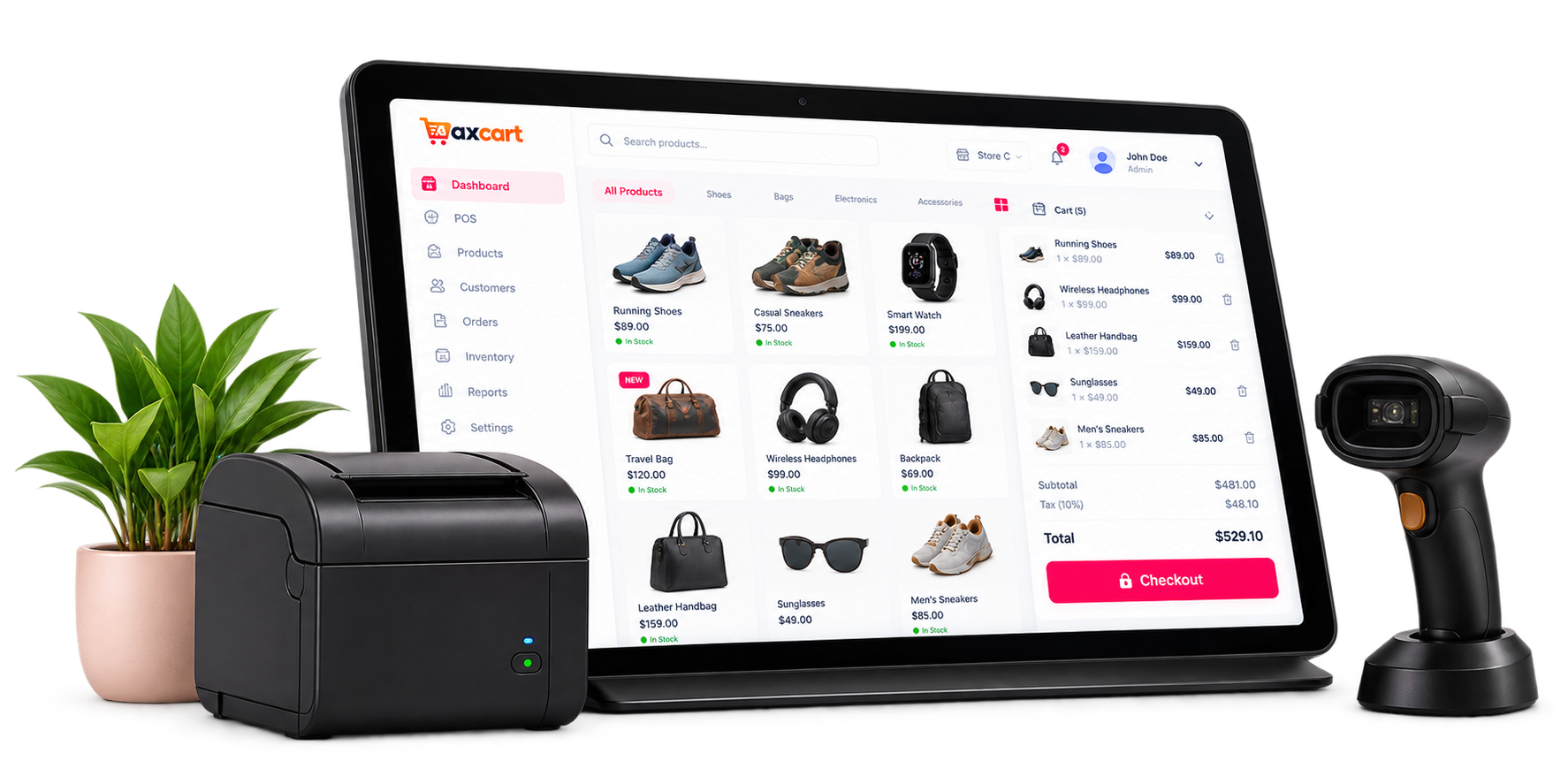
AxCart POS terminal with a receipt printer and barcode scanner
BUILT FOR REAL BUSINESSES

At the Counter.
On Your Storefront.

Use the browser-based POS for in-person sales and your storefront for cash-on-delivery orders. Your team works from the same catalog, customer records, and warehouse stock.

Fashion & Retail Sizes, colors, barcodes, and customer history
Food & Café Counters Product add-ons, order notes, and receipts
Groceries & Essentials Batch stock, expiry dates, and replenishment
Online Shops Catalog browsing, delivery rules, and COD orders
FAQ

Frequently Asked Questions

What to expect from store setup, billing, and daily work in AxCart.

What can I manage with AxCart?

AxCart brings point of sale, an online storefront, products, warehouse stock, purchases, orders, customers, and reports into one store workspace. Staff permissions let your team share that workspace with the right access.

How does the Free plan work?

Create a store without payment details. Free access lasts for the validity period shown in pricing and your account. Your billing page shows the end date and upgrade options. Current prices, validity, and usage limits are shown before you choose a plan.

What happens after I create my store?

Enter your business and owner details, verify your email when prompted, and choose a plan. Free signup continues to setup; a paid plan goes through checkout first. Setup guides you through business details, your warehouse, currency, and optional staff invitations.

How do my online customers pay?

The storefront currently accepts cash-on-delivery orders. At the counter, you can record cash and card sales. Your AxCart subscription is billed separately through Lemon Squeezy. Ask us about your requirements if you need online card checkout for merchandise.

Can I track stock in more than one warehouse?

Yes. Track quantities by product, variant, and warehouse, receive purchases, and transfer stock between warehouses. Batch and expiry records help you manage dated goods. The number of warehouses available depends on your plan.

Can my staff use the same store account?

Invite staff with their own logins and assign roles with permissions for specific tasks. Staff can set up two-factor authentication, and store administrators can require it for administrator accounts. Your plan sets the number of staff accounts.

Can I change my plan later?

Store owners can review usage, choose an available monthly or yearly plan, and manage their subscription from Billing. The app shows current prices and available intervals before checkout. Each plan sets limits for staff accounts, products, warehouses, and monthly orders.

Can I export my reports?

Sales, product, category, inventory, expense, and profit reports help you review your business. Available report exports use CSV and PDF, so you can share records or open CSV files in your spreadsheet tools.

Does AxCart work without an internet connection?

AxCart is a cloud application used in your web browser and needs an internet connection. You can manage both counter sales and online orders in the app. Try the sample workspace on this site to explore the main flows before creating a store.

Where can I get help?

Store owners can open a platform support ticket from the app. For questions before signup, use the contact form and tell us about your store, team, and stock workflow. Customers can also use your store's own support portal to contact your team.

Ready to streamline your business?

Start Using AxCart Today

Start with the Free access period shown in pricing, then choose a plan that fits your team and stock.
Create Your Store
YOUR AXCART TEST DRIVE

Try a counter sale. Explore the stock view.

Use sample products and orders to explore the interface. Demo changes stay in this preview; no real payment is taken.

Sample store / dashboardInteractive preview
All sales channelsSample workspace

Your business at a glance ☀

Good morning, Sophia. Here’s how your sample store is doing.

This week
Total revenue
$12,458 +12.5% vs. last week
Orders
320 +8.2% vs. last week
Products
1,245 +5.7% vs. last week
Customers
856 +10.3% vs. last week

Revenue overview

Revenue
$12,458+12.5% this week
$4k$3k$2k$1k
MonTueWedThuFriSatSun

Sales by channel

320total orders
In-store 64%Online 36%

Recent orders

OrderCustomerChannelTotalStatus
#AX-1004 Maria Garcia Online store $230.00 Completed
#AX-1003 Alex Smith Downtown store $45.00 Pending
#AX-1002 Sarah Khan Online store $85.00 Processing
One store. Your whole team.Click the tabs to explore